Tools
·
5 min read

Running a business alone means there is nobody else to absorb the mess, and nobody to ask anything on a daily basis. Every tool I add is one more thing to learn, maintain and think about, and sometimes a new expense on top. I am not looking for the most powerful all-in-one tool (maybe I will just create it myself ;). I am looking for the fewest tools that get the most out of a day without ever making me feel lost inside them. Time is your most valuable asset as a solo founder, so I put a lot of attention into where I put mine.
That said, I test constantly. Curiosity and my tech background keep me trying new things, always looking for the rare tool that makes it home. To be honest, most don’t. The ones below did, and they have stayed with me for a long time now. What follows is that short list, and why each one earned its place.
Think and write
You always start from zero. Whiteboards, nada. So these are some tools to organize that first phase.
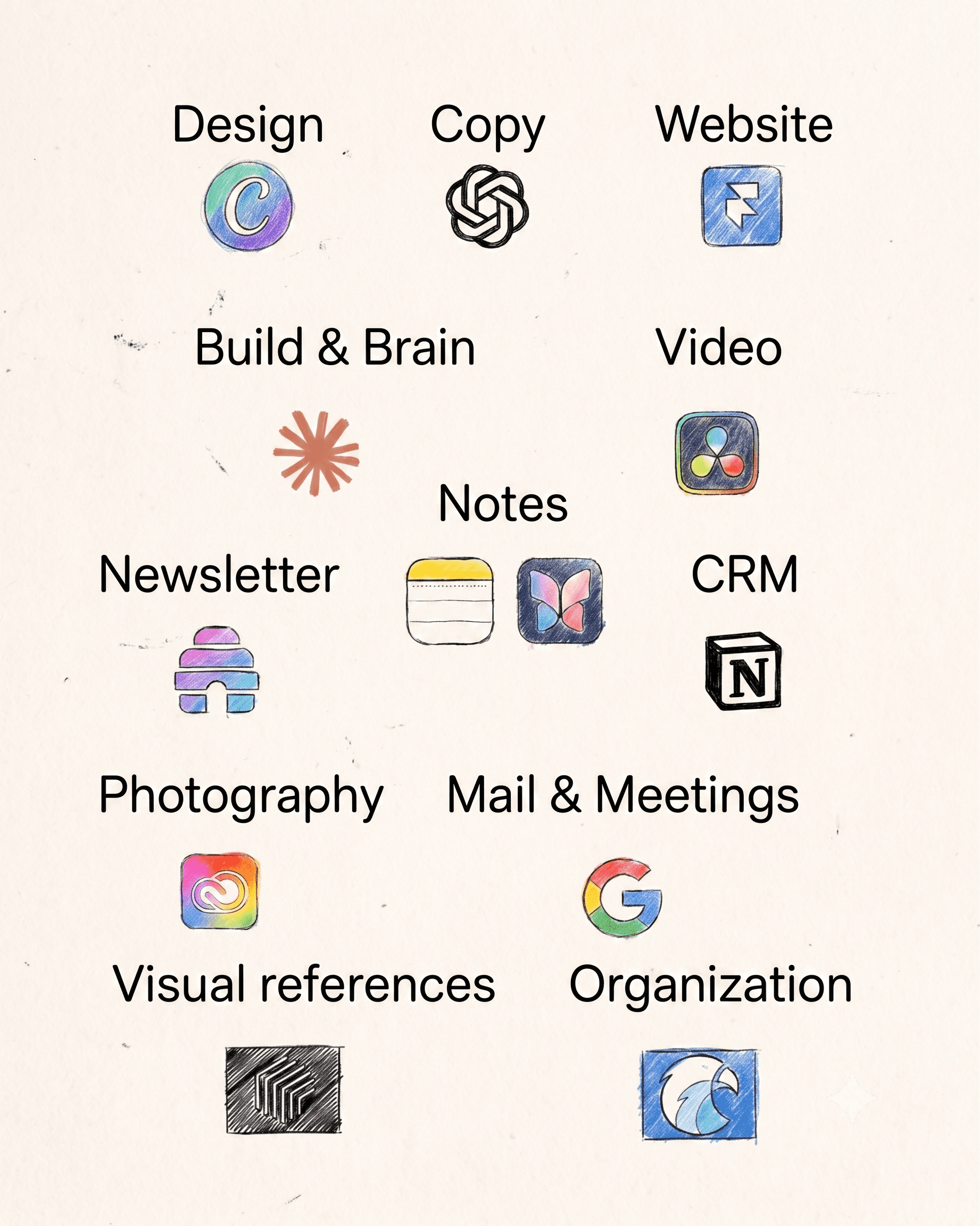
Wispr Flow — I think faster than I type, so most of my first drafts are spoken. It turns talking into text anywhere on my Mac: briefs, replies, the rough shape of a strategy. I can talk to the computer for minutes at a time, and what comes out sounds as real as if I said it out loud.
Claude — the closest thing I have to a first employee and my company brain. Most of it is Claude Code, and I use it for the heavy lifting and things I would do if I had a bigger team: internal tools, dashboards, automations, and analysis I would never get through by hand. It does not do the thinking for me. It does the heavy-lifting tasks so that I can spend my energy on the creative and critical-thinking tasks that actually need my brainpower.
Frameset — for my creative treatments or director treatments, I always need visual assets. I try to always use as many of my own assets as possible, but when I'm in need of a very particular frame or GIF to express or show an idea I have never filmed before, the Frameset library is by far the best out there. There are others like Shotdeck, but that one is more cinema-oriented. For commercial stuff or documentaries Frameset really does the job.
Make
The best ones for creating, each of them a king in their own realm.
Framer — the whole website runs on it, including the page you are reading. Design and publishing are in the same place, and by now I have my own templates, so an idea can be a live page the same afternoon. At the beginning the curve was a bit steep, but absolutely worth it. And also, one of the things that are beneficial about working alone is that you don’t need anyone’s approval for your website changes. That makes the process so much faster.
Canva — the main design tool. Some people use Figma or Adobe tools, but some years ago I discovered Canva and wow, they are improving it every day, now even implementing some AI tools. The same thinking as with Framer in the beginning: you start designing from zero. Now I have my own templates, and creating a pitch for a client, a director treatment, or even an invoice or a data report has never been easier. By the way, I also create social media content there, like the carousels that I usually publish on LinkedIn and Instagram.
DaVinci Resolve — some people will tell you Premiere Pro, but since they added the possibility of editing video here (not just color grading) some years ago, this is by far the best video-editing tool out there. Back then it took me a weekend to learn it. I decided to do a full project without having any idea how it worked, and now it’s by far my favorite video-editing software. I tried Final Cut. I tried Premiere. To me, this is the best one.
Lightroom — years with this one, and I am not planning to move. I have tried Capture One. It is an amazing color editor as well, but the file organization and sync with other Adobe tools are where Lightroom wins. Photoshop is one click away. The library stays organized even with files on different hard drives, and going through a shoot and picking the best ones is super fast. I have bought a bunch of presets and created my own. Super intuitive and comfortable workflow.
Organize
Speed only helps if nothing gets lost. These four keep my business in order.
Google — Mail, Docs, Drive, Calendar. This is where the business actually runs day to day. I never think about it, which is the point.
Milanote — it's not just a tool for organizing but also my thinking canvas. References, directions, links and half-formed ideas all together so I can see them at once. It is so cool to have a place where I can show my vision to colleagues or clients, not just in a 2D deck but also on a whiteboard.
Eagle — the tool that inspired me to make this list. One day I was reading a newsletter from a tech guy I follow, where he was talking about new apps he had recently discovered and really liked. He mentioned Eagle, an app for organizing your files, pictures and links in a super easy way. 10,919 files later, I can say I love the app, and now I can finally get to a reference I have in mind.
Claude — as I mentioned before, Claude Code has become a key pillar of my business, so all my business reports, meeting notes, learnings, ideas, etc. go through Claude Code, where I created a business brain that is slowly but surely getting smarter as my business grows. It's very useful and time-saving to be able to get to that idea, thought, number or conversation with a simple prompt in my business project.
Communicate
I keep it simple: Apple Mail, Gmail when needed, and Google Meet rather than Zoom or anything else.
Google Meet — I see a lot of people using different tools for meeting recordings. To be honest, the one from Google works amazingly. It saves directly into your Google Drive. From there it goes into a folder in my Claude Code brain, so I can ask questions across every conversation: what a client asked for two months ago, what we agreed, what I promised and when. Now I don't have to remember my calls detail by detail or take too many notes. I can be fully engaged and present in the conversation, and later I can search any information about it.
Beehiiv — your own audience is one of the key assets for a business. If one day any of the social media platforms that you use for marketing your business decides to close, you lose all the work done, so owning an audience is the best way to future-proof your business. We are not in the golden era of email marketing that we were some years ago when everything started, but it is still a key channel. I'm starting my own now, better late than never.
Stay connected
One more, easy to overlook until it is the thing stopping you.
NordVPN — for me it is not exactly about safety. When I moved to Austria I was surprised by how my network blocked my access to Framer. It can happen in hotels and cafés as well. When I discovered that was the problem, I started researching and found this one to be one of the main ones out there. It matters as well when you travel or work abroad, so you can connect to websites and services in other countries.
All of these tools are second nature to me, and I feel very comfortable using them, not feeling the need to change them for another similar SaaS, and focusing on what really matters.
New pieces on brand, tools, campaigns and the creative world.